Product · Monday digest

Monday, briefed.

One email for the week ahead: who to talk to, what's on the table, what's overdue. The same queue as Today, written down.

Start free

Free during beta · No credit card required

app.useretainer.com/settings
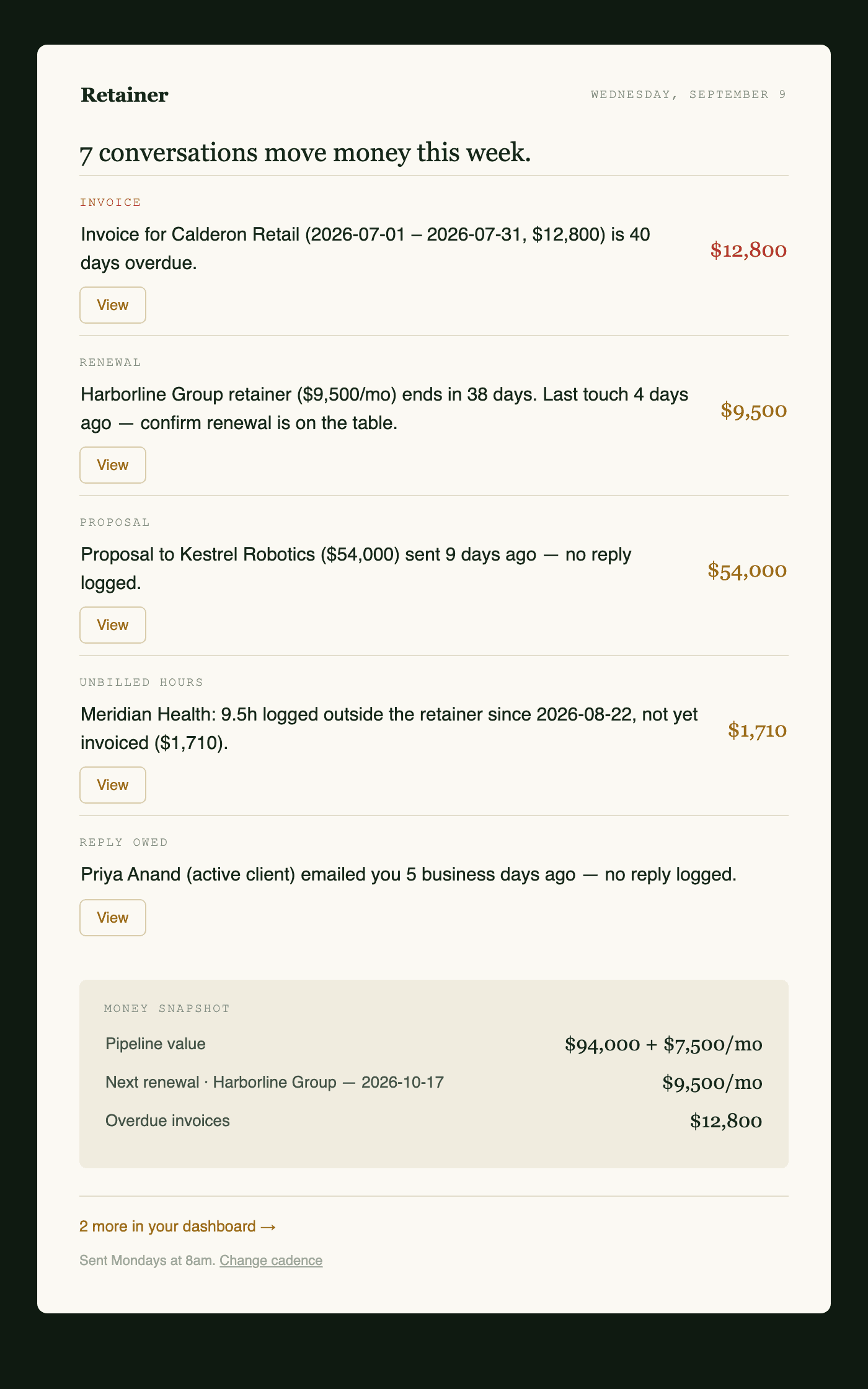
Monday digest email

What it does

If you already trust Today, the digest is that list in your inbox.

The week's queue, written down

The same cards as Today — who to talk to, what is on the table, what is overdue. An all-clear when nothing is open.

Money snapshot

A short read on committed work and what is at risk, next to the items that need you.

On or off in Settings

The digest is a toggle. Today stays either way.

How it works

Step 01

Today already has a queue

The digest does not have its own rules. It reads the same items.

Step 02

The letter is that queue

Top items, reason lines, a money snapshot. Same source as the dashboard.

Step 03

Turn it on in Settings

The contents are ready. During beta, treat Today as the live list while we verify delivery.

Step 04

Work the same items in the app

Open Today and act. Dismiss or resolve there; the next letter reflects it.

Questions

When does it arrive?

The email contents are ready and you can turn the digest on in Settings. During beta, use Today as the live list — we are still verifying delivery before we promise a clock.

What's in it?

The week's open items from Today: who to talk to, stalled work, overdue invoices, and a short money snapshot. If nothing is open, you get an all-clear.

Can I turn it off?

Yes. Settings has the toggle. Today is unchanged either way.

Is it different from Today?

Same source. The email is the weekly cut of the same queue.

Also in Retainer

The week, before it gets away.

Free during beta · No credit card required

Start free